Device Filters and Actions
These elements appear in several areas throughout StreamShuttle.
Hub / Device filter
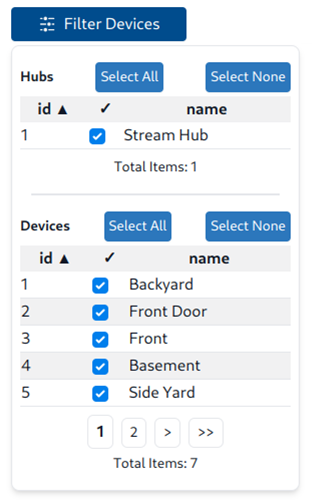
The Filter Devices control lets you select which hubs and devices to display. Expand the panel to choose a hub or individual devices. When the list spans multiple pages, use the pagination controls to review the remaining devices without changing the current selections.
Device Actions
Device controls appear in several areas throughout StreamShuttle. The stop button ends a running stream, the play button starts a stopped stream, and the trigger bell manually records an activity event when monitoring is enabled. These inline controls are separate from the three-dot actions menu.
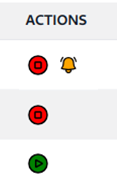
The available controls depend on the device's current state. A running device shows the stop control, a stopped device shows the play control, and a monitored device also shows the trigger bell.