Media Event View
Open a media event to review it in a window. Playback starts automatically, and the window shows the event details, activity frames, and available controls. Use Prev and Next to move between frames. When available, select a frame to jump to that moment in the video.
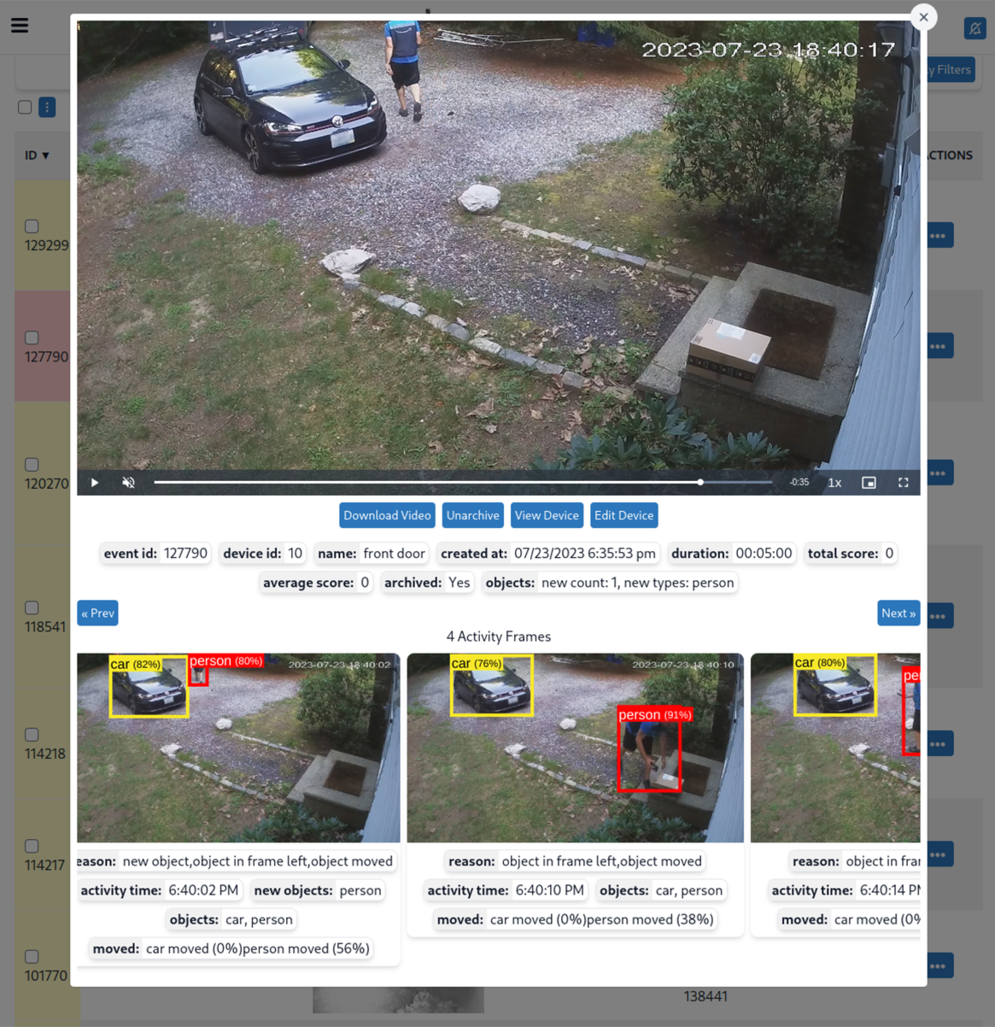
Event details
| Attribute | Description |
|---|---|
| Event ID | ID of the media event. |
| Device ID | ID of the device that recorded the event. |
| Duration | Length of the recording. |
| Created At | Date and time the event was created. |
| Archived | Whether the event is archived. |
Controls
| Control | Description |
|---|---|
| Download Video | Download the video to the current device. |
| Archive Event / Unarchive Event | Toggle whether the event is archived. (Archived events are not automatically removed.) |
| Device | Open the device associated with the event. |
Each activity frame includes its reason and activity time. The archive button label changes to Unarchive Event when the event is already archived.